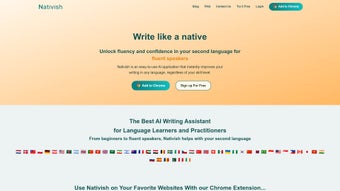

Download Nativish – AI Writing Assistant for Language Learners
Overview
Nativish is a web‑based AI tool that transforms the way you write in a second language. Whether you are a beginner struggling with basic sentence structure, an intermediate learner looking to polish grammar, or an advanced expatriate aiming for native‑level fluency, Nativish delivers instant, context‑aware enhancements that make your text read like it was authored by a native speaker. The platform works directly in your browser, eliminating the need for bulky installations or operating‑system constraints.
By analyzing your input in real time, Nativish suggests improvements in vocabulary, idiomatic expressions, tone, and cultural nuances, turning a simple draft into a polished piece of communication. The tool’s core promise is confidence: as you see your writing improve, you gain trust in your language abilities, which in turn accelerates overall acquisition. Although the exact list of supported languages is not yet publicly detailed, the service markets itself as suitable for “any language,” positioning Nativish as a universal companion for multilingual communication.
Its freemium model allows you to test essential features at no cost while offering a premium tier for deeper analytics, batch processing, and integration with popular writing platforms. For anyone who wants to write faster, clearer, and more authentically in a foreign language, Nativish offers a secure, regularly updated solution that can be accessed from any device with an internet connection.
Key Features of Nativish
- Real‑time AI Enhancements: Instantly rewrites sentences to improve fluency, idiomatic usage, and cultural relevance.
- Multilingual Support: Claims compatibility with any language, making it a versatile tool for global learners.
- Contextual Vocabulary Suggestions: Replaces generic words with precise synonyms that fit the surrounding text.
- Tone & Formality Controls: Allows users to toggle between casual, professional, or academic tones.
- Grammar & Punctuation Checker: Detects and corrects common errors, including subject‑verb agreement and article usage.
- Learning Insights Dashboard: Tracks recurring mistakes and offers personalized study recommendations.
- Integration Options: Browser extensions and API access for seamless use with Google Docs, Microsoft Word, and popular CMS platforms.
- Freemium Access: Free tier includes unlimited basic corrections; premium tier unlocks batch processing, advanced analytics, and priority support.
- Secure Cloud Processing: All text is encrypted during transmission and never stored permanently, ensuring privacy.
- Regular Updates: Continuous AI model improvements based on user feedback and linguistic research.
These features collectively address the biggest pain points for language learners: lack of immediate feedback, limited exposure to native phrasing, and the difficulty of maintaining consistency across different writing contexts. By delivering suggestions that are not only grammatically correct but also culturally appropriate, Nativish helps bridge the gap between textbook knowledge and real‑world communication. The Learning Insights Dashboard, in particular, turns each writing session into a mini‑lesson, highlighting patterns that you can focus on in future study. For professionals who need to produce error‑free reports or emails in a second language, the tone controls and integration options make Nativish a productivity booster. Meanwhile, casual learners benefit from the free tier’s unlimited basic corrections, allowing them to experiment without financial commitment.
Installation, Usage & Compatibility
How to Get Started
Because Nativish is a cloud‑based service, there is no traditional “installation” process. Getting started involves three simple steps:
- Create an Account: Visit Nativish.com and sign up using an email address or a Google/Apple ID. The registration is free and takes less than a minute.
- Select Your Language: In the dashboard, choose the language you want to work with. If the language is not listed, you can still try the “Universal Mode” which attempts to apply general AI enhancements.
- Start Writing: Either paste text directly into the web editor or upload a document (DOCX, TXT, or PDF). The AI begins processing immediately, highlighting suggestions in a sidebar.
Using the Browser Extension
For users who prefer to edit documents in their favorite applications, Nativish offers a lightweight browser extension available for Chrome, Edge, and Firefox. After installing the extension from the respective web store, you can activate Nativish on any editable field (email, online forms, Google Docs) by clicking the Nativish icon. The extension sends the selected text to the secure Nativish servers, receives enhanced suggestions, and displays them inline.
Operating System Compatibility
Because the service runs entirely in the browser, it is compatible with Windows, macOS, Linux, ChromeOS, Android, and iOS. The only requirement is a modern web browser (Chrome 80+, Firefox 78+, Safari 13+, or Edge 80+) with JavaScript enabled. This cross‑platform flexibility means you can write on a desktop at work, polish a draft on a tablet during travel, or correct a quick message on your smartphone without missing a beat.
Updating and Support
Nativish updates its AI models automatically on the server side, so you always benefit from the latest linguistic research without manual downloads. Premium users receive priority email support and access to a dedicated knowledge base. Free users can still submit tickets, but response times may be longer. Regular webinars and tutorial videos are posted on the Nativish YouTube channel, covering advanced usage tips such as batch processing and API integration.
Pros and Cons
Advantages
- Instant, context‑aware feedback that improves both grammar and style.
- Works on any device with a web browser – no OS restrictions.
- Freemium model lets beginners use essential features for free.
- Secure, encrypted processing ensures user privacy.
- Learning Insights Dashboard turns corrections into actionable lessons.
- Integration with popular writing tools via extensions and API.
- Regular AI updates keep the suggestions current with evolving language use.
Drawbacks
- Exact list of supported languages is not publicly disclosed, which may cause uncertainty for niche languages.
- Advanced features (batch processing, detailed analytics) require a paid subscription.
- Dependence on internet connectivity; offline editing is not possible.
- Some nuanced cultural idioms may still be missed by the AI, especially in low‑resource languages.
- Browser extension performance can vary on older devices.
Frequently Asked Questions
Is Nativish really free to use?
Yes, Nativish offers a free tier that includes unlimited basic corrections and real‑time suggestions. Premium features such as batch processing, advanced analytics, and priority support require a subscription.
Which languages does Nativish support?
The platform markets itself as supporting “any language.” While major languages like English, Spanish, French, German, Mandarin, and Japanese are fully optimized, less common languages are handled by a universal AI mode that still provides grammatical improvements.
Do I need to install any software?
No installation is required for the core web app. Optional browser extensions are available for Chrome, Edge, and Firefox to enable inline editing on other websites.
Is my text stored on Nativish servers?
All text is transmitted over encrypted HTTPS connections and is processed in memory only. Nativish does not retain your documents after the enhancement session, ensuring privacy.
Can I use Nativish on mobile devices?
Absolutely. The responsive web interface works on iOS and Android browsers, and the mobile extensions allow you to edit emails or notes directly from your phone or tablet.
Conclusion – Should You Download Nativish?
If you are looking for a secure, cloud‑based AI writing assistant that helps you write fluently in a second language, Nativish delivers a compelling mix of real‑time enhancements, learning analytics, and cross‑platform accessibility. Its freemium model lets you experience the core functionality without commitment, while the premium tier expands the tool’s power for serious learners and professionals. The main considerations are the lack of an exhaustive language list and the requirement for an internet connection. Overall, Nativish stands out as a versatile, user‑friendly solution that can accelerate language acquisition and boost confidence in written communication. Download Nativish today and start turning your drafts into native‑level prose—whether you are drafting an email, a blog post, or a research paper.



.png)



